There are several ways to communicate directly with shoppers on the platform:
You can tag their username in a comment on a listing - this is a public conversation, and usually started by the buyer tagging you with a question or comment.
Communicating via comments in a private bundle - this is a private conversation, only shown to the seller and buyer parties. Details on how to create a bundle, which can be leveraged to start a chat / make an offer can be found HERE.
The MyShoppers tool allows you to send comments in bundle in bulk to a range of targeted shoppers who have interacted previously with your closet. Many sellers use it to advertise and promote New Arrivals, Discounts, and other broad messaging to relevant users. You can find a step-by-step guide on how to do so HERE.
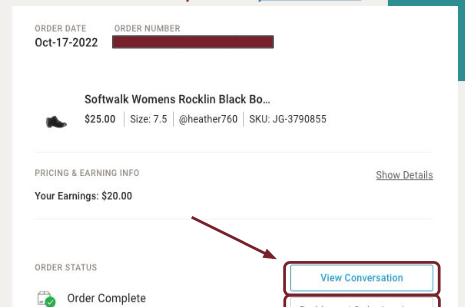
For all post-order communications, we recommend leveraging our post-order private conversation feature, which you can access from your Orders Page. This chat function also allows you to easily loop in Poshmark Support, should that be necessary.